Photographing your creations with a smartphone: the maker’s guide
Published on , updated on 7 min read The 123Ventes team
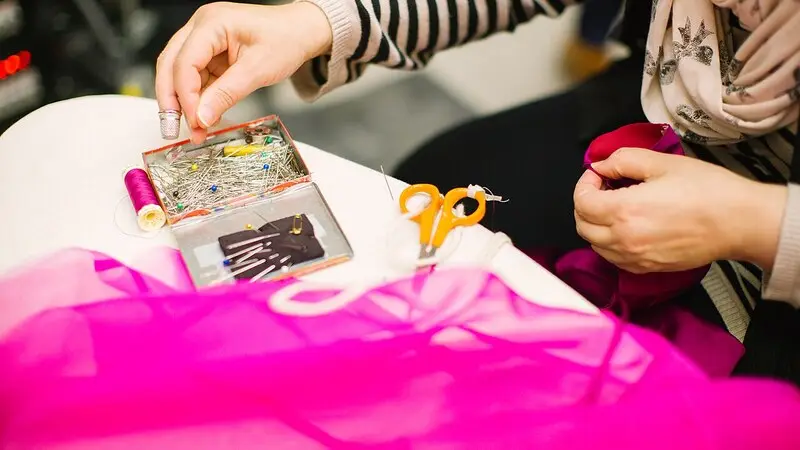
Online, your customer can’t pick up your bowl, run a finger over the leather or hold the soap up to their nose. Everything they know about your work, they know from the photo. A beautiful piece badly photographed doesn’t sell; a simple piece well photographed is gone within the week.
Don’t worry: your phone is enough. You don’t need a studio or an expensive camera, just a well-chosen corner of the workshop and a method you repeat for every new piece. Here is ours, designed for makers who have better things to do than photography.
The zero-euro studio
Everything you need is already at home:
- a window, ideally without direct sunlight: an overcast day gives soft light, without harsh shadows;
- a table placed beside the window, not facing it or with its back to it;
- a large sheet of paper or card, white or light grey, laid on the table and curved up against the wall: it creates a background with no horizon line;
- a piece of white card on the side opposite the window, to bounce the light back and soften the shadows;
- a pile of books or a small tripod, so the phone doesn’t move.
Turn off the room lights and switch off the flash: mixing daylight with a light bulb gives false colours, and the flash flattens texture. Always keep this corner of the workshop in the same place: it is your studio.
The 5 photos of a good product page
A single photo isn’t enough to make people buy. On a 123Ventes product page, you have one main photo and four extra views: use them all, always in the same order.
- The main photo, on your neutral background, showing the whole piece, nicely centred. This is the one that appears in the product list: it must be readable even when small.
- Another angle: from the side, from the back or from above, depending on the object.
- The detail that proves it is handmade: the marks of the wheel, the saddle stitching, the grain of the wood, the marbling of the soap.
- The scale: the piece in a hand, worn, or placed next to an object everyone knows. “12 cm” is easier to grasp next to a cup.
- The lifestyle shot: the bowl on a laid table, the necklace being worn, the candle lit in the evening. This is the photo that makes people dream.
If the item comes in several colours, shoot each one in the same conditions: customers compare, and they will notice the slightest difference in lighting.
The phone settings that make all the difference
- Wipe the lens with a soft cloth: a single fingerprint is enough to make the whole photo look milky.
- Tap the screen on the piece to focus in the right place, then slide your finger to adjust the brightness if the photo is too dark or too light.
- Don’t zoom: move closer. Digital zoom degrades the image. If your phone has a “2x” or “3x” lens, that one can be useful: it distorts objects less than the wide-angle lens.
- Hold the phone level with the piece, nice and straight. Shot from too high, a vase looks squat and a bottle leans.
- Use the 3-second timer: the phone is no longer moving when the shot is taken, even without a tripod.
- Avoid portrait mode for the main photo: the background blur it adds often eats into the edges of the object.
Tricky materials
Some creations are harder to get right. A few tips by material:
- Glass, glossy glaze, polished metal: they reflect everything, including you and your phone. Turn the piece slightly until the reflection of the window becomes a nice line of light, and wear dark clothes.
- Jewellery: move closer without zooming, place the piece on a matt surface (stone, raw wood, linen), and take a photo of it being worn to show the size. Rings stand up with a little ball of reusable adhesive hidden behind them.
- White objects on a white background: choose a light grey or beige background instead, otherwise the piece disappears.
- Textiles and clothing: iron them first, and show the piece being worn or on a hanger. A flat-lay photo says nothing about the cut.
- Candles and soaps: a photo of the cut edge or of the flame is worth more than a long description. See our advice for handmade candles and for soap makers.
Editing without cheating
Your phone’s built-in photo editor is enough: crop, straighten, brighten a little, correct a colour that is too warm or too cool. No other app needed.
On the other hand, no filters and no enhanced colours. A customer who receives a fir-green bowl when they ordered a soft sea green will send it back, and leave you a disappointed review. A faithful photo avoids most returns.
Image file size: the trap that slows down your shop
A phone photo often weighs 3 to 5 MB and is 4,000 pixels wide. Uploaded as it is, it slows down page loading, especially on mobile: the home page of a shop with twenty photos like that can weigh several tens of MB. Visitors lose patience, and Google notices too.
Before uploading your photos, resize them: 1,500 to 2,000 pixels wide is plenty for a product page, and the file size drops to a few hundred KB. Most phones let you choose the size when sharing or exporting, and free online tools do it in one click.
Also keep the same format for all your main photos, square for example: your product list will line up neatly, like a well-arranged shop window.
A workshop routine rather than a chore
The secret of shops with beautiful photos isn’t talent, it’s consistency. Photograph each piece as soon as it leaves the workbench, in the same place, at the same time of day, with the same settings. Five minutes per piece, and your catalogue builds itself without devoting a whole day to it.
Take the opportunity to note the dimensions, packed weight and material straight away: the product page will practically write itself. For the texts, and to be found on Google thanks to your photos, read our guide to SEO for an online shop, for beginners.
And with 123Ventes?
On 123Ventes, each product page takes one main photo and four views, and you can add a short video of the piece. You manage your products from your phone, between two pieces: photo taken, product page created, product online. The shop costs €29.90 a month, with no commission on your sales.
No time to put everything online yourself? We can build your shop and add your first products: that is our turnkey shop creation service. And for everything to plan before opening, follow the guide online shop for makers.
Frequently asked questions
Can you take good product photos with a smartphone?
Yes. Recent phones are more than enough for an online shop. What makes the difference is the light (a window, no flash), the background (neutral and plain) and keeping the phone steady, far more than the device itself.
What background should you use to photograph your creations?
A large white or light grey sheet, laid on the table and curved up against the wall, with no creases. For white objects, prefer light grey or beige. Keep the same background for all your main photos.
How many photos should you add per product?
At least four or five: the main photo on a neutral background, another angle, a close-up of the material, a photo that shows the scale and a lifestyle shot.
What image size for an online shop?
1,500 to 2,000 pixels wide is enough for a product page, for a file size of a few hundred KB. An unresized phone photo of several MB slows your shop down for no reason.
Should you edit your product photos?
Lightly: crop, straighten, brighten. But no filters and no enhanced colours: the customer must receive exactly what they saw, otherwise they will send the product back.
Conclusion
A window, a sheet of paper, a phone resting on a pile of books: that is all the equipment you need. The rest is method. Five photos per piece, always taken the same way, resized before uploading, and your shop will look as polished as your work.
👉 Try 123Ventes for free and put your first pieces online today.